Skip to product information
1 of 9

GardePro E8 3.0 Pro 4K Home Wi-Fi Trail Camera

Product

Regular price $119.99 USD
Sale price $119.99 USD Regular price $139.99 USD
Shipping calculated at checkout.

Secure your shopping experience with various safe and trusted payment methods.

Payment methods
  • American Express
  • Apple Pay
  • Bancontact
  • Google Pay
  • iDEAL Wero
  • Mastercard
  • MB WAY
  • PayPal
  • Shop Pay
  • Union Pay
  • Visa
Shop safely with us

Two Connection Modes, More Ways to Stay Connected

  • Home WiFi Mode

    Connect your camera to WiFi for remote access: motion alerts, cloud‑image viewing, HD requests, camera sharing & remote control.

    Important Note: Live real‑time view is NOT available under Home WiFi remote mode.

  • Direct Connect Mode

    Connect directly near the camera to view live footage, adjust settings, browse SD card images, and download captures — no login required.

    Important Note:Get live real‑time view by connecting your phone close to the camera.

1 of 2

AI-Powered Wildlife Species Recognition

Built‑in AI delivers instant on‑camera species ID. Smart Capture saves battery by only sending photos of your target wildlife. Automatic tagging keeps your gallery neatly organized, with no hidden AI fees.

3PIR Sensing Offers Rapid Triggers and Smart Motion Filtering

Triple PIR sensors deliver lightning-fast trigger response. Advanced sensing cuts false alerts caused by wind, vegetation or heat shifts, so you capture more wildlife shots and save battery.

Load video:

Crystal-Clear Detail, Day or Night

Load video:
Load video:

 E8 2.0 Pro vs E8 3.0 Pro  

Reliable Connection in Remote Areas

Connect from up to 3× farther away than other WiFi trail cameras to review footage, adjust settings, and download files—without walking up to the camera or removing the SD card.

Q1. What is the difference between Direct Connect and Remote Mode?

Add your collapsible row content here. If it's set to open one row at a time, consider keeping the content in each row about the same length.

Q2. Do I need to create an account to use the camera?

An account is only required if you want to use Remote Mode features such as motion alerts, remote photo viewing, and cloud services. If you only plan to use Direct Connect, you can operate the camera locally without logging in.

Q3. Can I still use the camera if there is no internet connection?

Yes. The camera can still operate normally in Direct Connect mode without internet access. It will continue to capture photos and store them on the SD card, and you can connect to the camera directly with your phone to view and download them.

Q4. Can I view live video remotely?

No. Live View is only available in Direct Connect mode when your phone is near the camera. This design helps maintain low power consumption, which is essential for battery-powered trail cameras used outdoors. Remote Mode focuses on sending motion alerts, providing cloud photo access, and allowing remote settings, while Live View can still be accessed anytime by connecting directly to the camera.

Q5. What happens if my home Wi-Fi goes offline?

If your home Wi-Fi becomes temporarily unavailable, the camera will continue capturing photos and storing them on the SD card. Once the network is restored, the camera will automatically reconnect, but photos captured while the camera was offline will not be uploaded to the cloud. If you are near the camera, you can use Direct Connect to access and download those photos and videos directly from the SD card to your phone.

Q6. Does Remote Mode require a subscription?

No. Remote Mode does not currently require a subscription. Basic cloud services are included, allowing you to receive motion alerts, view photos remotely, share your camera with others, adjust camera settings remotely, and store photos in the cloud for up to 3 days at no additional cost.

Q7. Can I share the camera with other users?

Yes. Cameras connected in Remote Mode can be shared with other users through the app. Shared users can view photos in the cloud gallery but will have limited permissions compared to the primary account holder.

Customer Reviews

Overall rating: 4.9 / 5 from 14 reviews.

Upgraded from the E8 2.0 and the difference is noticeable.The 3.0 night vision is sharper,the AI is more accurate, and the dual antenna means it actually stays connected.If you've got the 2.0 and you're on the fence,just upgrade.

GardePro E8 3.0 Pro 4K Home Wi-Fi Trail Camera

I've had cheap trail cams before and they all died within a year.This one feels way more solid-the housing is thick,the buttons are responsive and the app actually works.You get what you pay for.

GardePro E8 3.0 Pro 4K Home Wi-Fi Trail Camera

I almost didn't buy this because the listing says'no live view in remote mode and I thought that was a dealbreaker.Then I realized that's exactly why it has two modes. Remote mode is low-power so the battery doesn't die while it's just sitting there sending alerts. When I actually want live video,I walk out and use direct connect-ten seconds,no login, no internet.The limitation is actually the design.I felt dumb for almost skipping it.

GardePro E8 3.0 Pro 4K Home Wi-Fi Trail Camera

Photo alerts and remote photo access are handy,but Live View works only when your phone is near the camera in Direct Connect mode.I'd check that distinction before choosing where to mount it.

GardePro E8 3.0 Pro 4K Home WiFi Trail Camera

The species recognition and automatic photo tagging could make it easier to sort through captures. I'd spend a little time adjusting the target settings so the camera is focused on the wildlife you actually want to monitor.

GardePro E8 3.0 Pro 4K Home WiFi Trail Camera

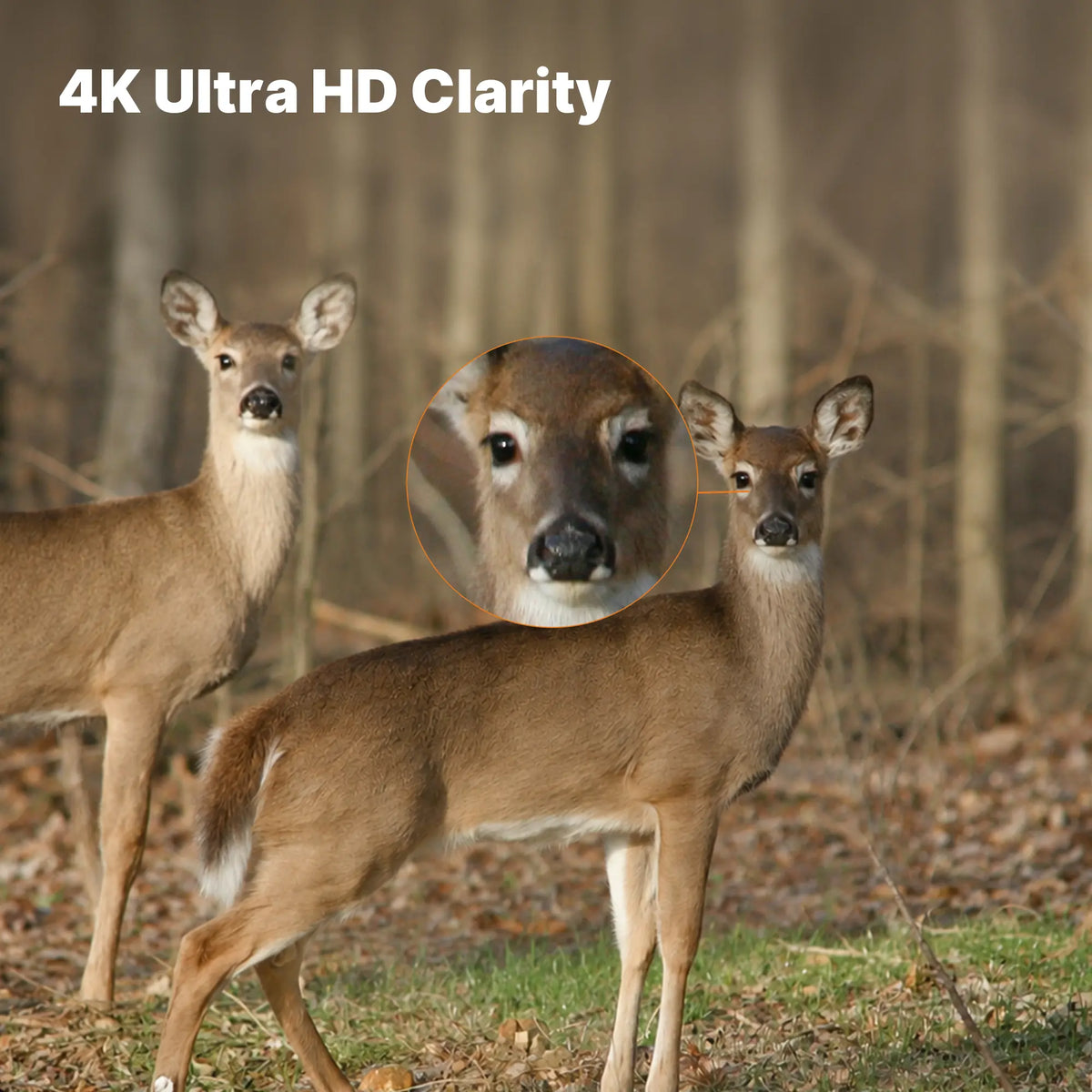
The 4K footage captures a lot of detail and the night vision is useful for checking activity after dark.I'd recommend testing the camera angle during the day before leaving it in place.

GardePro E8 3.0 Pro 4K Home WiFi Trail Camera

I like that the product page lists motion alerts,remote photo viewing, camera sharing,and basic cloud storage without a subscription.The stated cloud storage period is up to three days,so I'd download anything I wanted to keep longer.

GardePro E8 3.0 Pro 4K Home WiFi Trail Camera

This camera offers several useful ways to access images.For remote alerts and cloud photos, it needs Home WiFi;for live viewing and direct SD-card access,you need to connect your phone nearby.That's worth knowing before installation.

GardePro E8 3.0 Pro 4K Home WiFi Trail Camera